Filters
Filters accept only a subset of points and allows for the spatial partitioning of models. The following filter nodes implements the filters of easi. If you are not familiar with the different easi filters, please read the easi documentation first.
Note that easi-gui does not check for typos or wrong inputs/outputs.
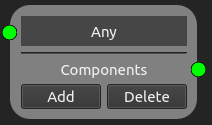
Any Node
This node implements Any of easi. It mostly serves as a root node and accepts every point and every group.
Axis Aligned Cuboidal Domain Filter Node
This node implements AxisAlignedCuboidalDomainFilter of easi. It accepts only points inside an axis-aligned bounding box (see easi documentation).
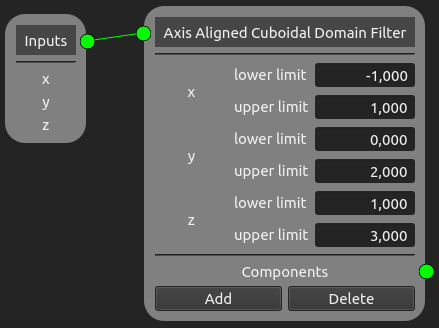
This Axis Aligned Cuboidal Domain Filter node takes all points that satisfy the conditions: \(-1 \leq x \leq 1\), \(0 \leq y \leq 2\) and \(1 \leq z \leq 3\).
When an input is given, the dimensions’ names are automatically added to the Axis Aligned Cuboidal Domain Filter node. You then only need to give the lower and upper limits next to the labels of the same row.
Spherical Domain Filter Node
This node implements SphericalDomainFilter of easi. It accepts only points inside a sphere.
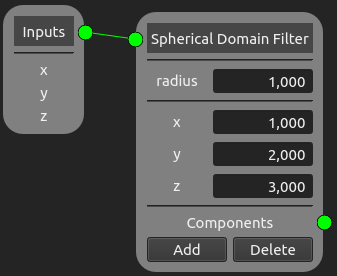
This Spherical Domain Filter node takes all coordinates that satisfy \(||(x,y,z)^T - (1,2,3)^T|| \leq 1\).
The radius can be given in the box next to “radius”. When an input is given, the dimensions’ names are automatically added to the Spherical Domain Filter node. The value of the center corresponding to the dimension needs to be added in the box on the same row.
Group Filter Node
This node implements GroupFilter of easi. It accepts only points belonging to a set of groups.
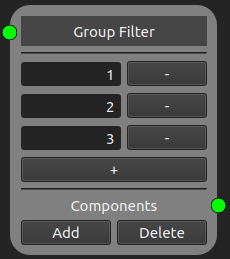
This Group Filter node accepts the nodes that belong to the groups 1, 2 and 3.
The group values need to be written in the boxes of the Group Filter node.
The + button adds new group rows to the map, while the - button removes the group of the button’s row.
Switch Node
This node implements Switch of easi. It can be used to select a component based on the requested parameters.
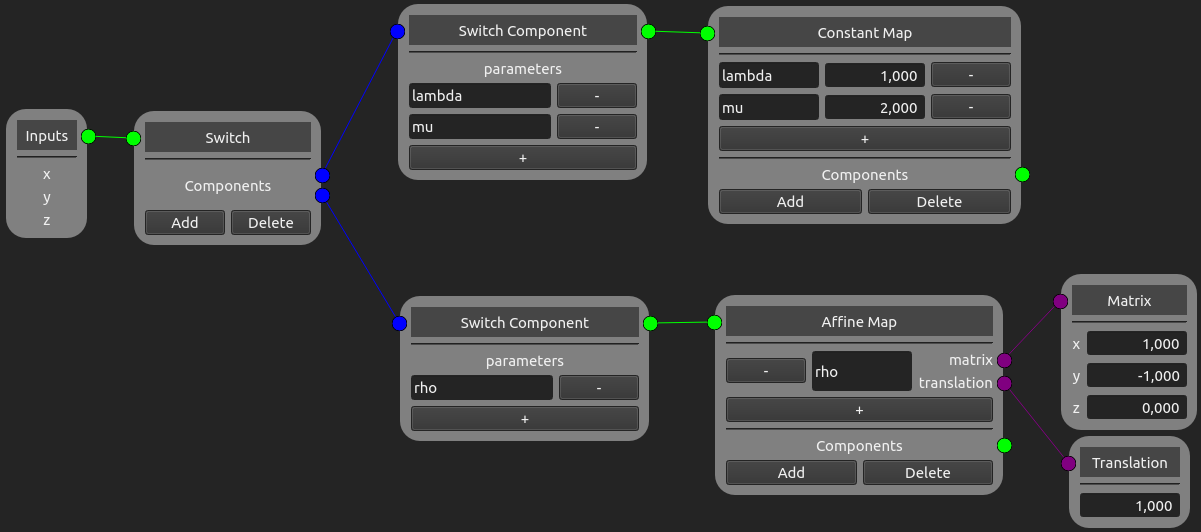
This Switch node separates the output parameters lambda, mu and rho, according to how they are computed. lambda and mu are determined using a Constant Map node and have respectively the values 1 and 2, while rho is defined via an affine map and has the value \(x-y+1\).
A Switch node always has at least one Switch Component node, in which the parameters need to be manually added. The + button adds new parameter rows to the map, while the - button removes the parameter of the button’s row. As for normal components, Switch Component nodes can be further added by clicking on the “Add” button of the Switch node, while the “Delete” button removes the last Switch Component node.